Why digital signage hardware decisions impact performance & longevity
Choosing the right digital signage hardware isn’t just a technical decision; it directly affects how reliable, scalable, and effective your screens will be over time.
If your hardware struggles, your content struggles. Screens go offline, updates fail, and what should be a seamless communication tool quickly becomes a maintenance headache.
In 2026, with more businesses relying on real-time content, remote management, and always-on displays, your hardware setup needs to work harder than ever. The right foundation ensures your digital signage runs smoothly, lasts longer, and delivers consistent value without constant intervention.
This guide breaks down what actually matters, so you can choose confidently and avoid costly mistakes.
Main Hardware Options Explained: Commercial screens, Built-in displays, external media players
When exploring digital signage hardware, you’ll typically come across three main options. Each serves a different purpose depending on your setup and goals.
Commercial digital displays
Commercial screens are purpose-built for digital signage. Unlike consumer TVs, they’re designed for extended usage, better brightness, and long-term reliability.
They’re ideal if you need:
- Screens running 12–24 hours a day
- Consistent performance in business environments
- Professional-grade image quality
If you’re comparing options, these are often considered the best digital signage screens for reliability and lifespan. You can use the TrouDigital studio to implement scheduling, ensuring content plays when and where you want it to.
Built-in displays
Some of the TrouDigital displays have built-in media players, meaning you don’t need external hardware to run content.
They’re useful for:
- Simpler deployments
- Reducing hardware clutter
- Lower upfront setup complexity
However, they can be limiting if you want flexibility, advanced integrations, or long-term scalability.
External signage media players
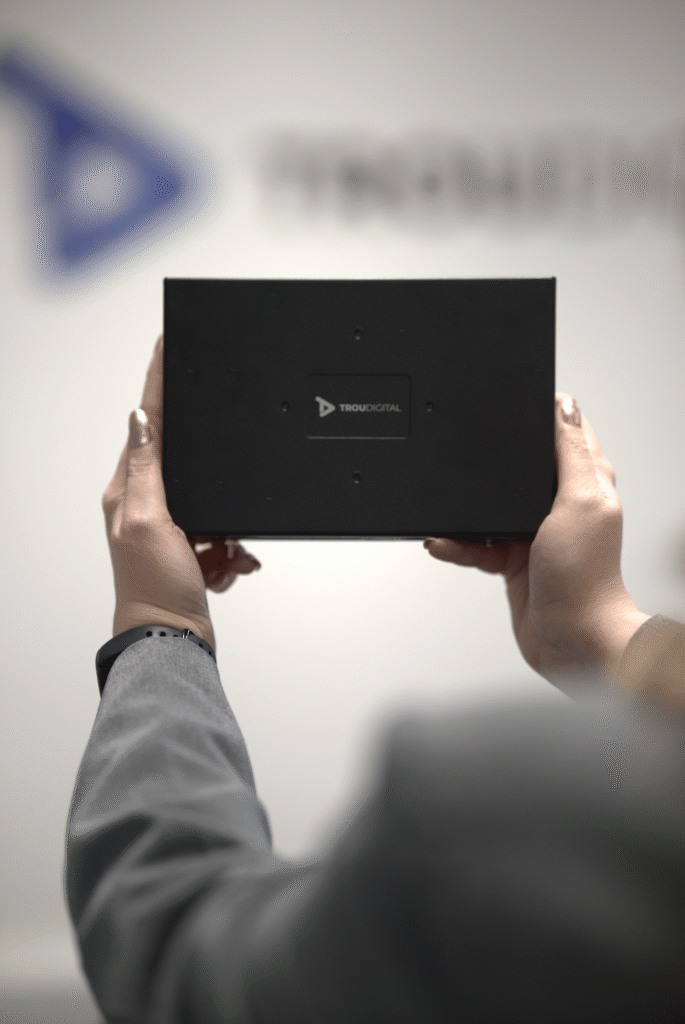
External signage media players connect to your screen and run your content separately. This is often the most flexible option.
They’re best suited for:
- Complex or dynamic content
- Multi-screen networks
- Businesses planning to scale
With the right setup, media players allow you to update, troubleshoot, and expand your signage without replacing your screens.
If you’re exploring this route, you can learn more about dedicated options here.
Key Factors to Consider: Storage space, media type (such as video walls), usage hours, connectivity, environment
Once you understand the hardware types, the next step is choosing based on how your screens will actually be used.
Brightness
Brightness is often overlooked, but it has a huge impact on visibility.
- Indoor environments typically need 300–700 nits
- Window-facing or bright areas may require 1,000+ nits
If your content isn’t clearly visible, the screen isn’t doing its job, no matter how good the design is.
Usage hours
Not all screens are built to run continuously.
- Consumer TVs: 6–8 hours/day
- Commercial displays: 16–24 hours/day
If your screen will be on all day, investing in commercial-grade hardware is essential to avoid burnout and early replacement.
Connectivity
Reliable connectivity keeps your network running smoothly.
Look for:
- Stable Wi-Fi or Ethernet options
- Remote access capabilities
- Compatibility with your digital signage software
Strong connectivity ensures your content updates instantly, which is where digital signage really proves its value.
Environment
Where your screen lives matters just as much as what it displays.
Consider:
- Temperature and ventilation
- Exposure to sunlight
- Mounting requirements
For example, a hospitality venue, retail window, and corporate office all have very different hardware needs.
Digital Signage Hardware Comparison
| Hardware Type | Best Use Case | Pros | Cons |
| Commercial Displays | High-usage environments | Durable, bright, reliable | Higher upfront cost |
| Built-in displays | Simple, standalone setups | Fewer components, easy installation | Limited flexibility |
| External Media Players | Scalable, dynamic signage networks | Flexible, powerful, easy to upgrade | Requires additional hardware |
Future-Proofing Your Digital Signage Network
It’s easy to focus on what you need today. But digital signage works best when it grows with you.
Future-proofing comes down to flexibility.
Ask yourself:
- Can you add more screens easily?
- Can your hardware support new content types?
- Can issues be fixed remotely without site visits?
This is where external media players and scalable platforms stand out. They allow you to adapt without replacing your entire setup.
A future-ready system doesn’t just work now; it saves you time, money, and effort later.
Why Choose TrouDigital?
Choosing hardware is only part of the process. The real value comes from how everything works together.
With TrouDigital, your digital signage hardware is backed by:
- A simple, intuitive platform
- Real human support when you need it
- Fully tailored solutions based on your environment and goals
Instead of a one-size-fits-all approach, you get a setup that actually works for your business, whether that’s a single screen or a network of thousands.
If you’re planning your next deployment or upgrading your current setup, you can explore tailored options here.
Final thoughts
Choosing the right hardware doesn’t need to be complicated. It just needs to be considered.
Focus on how your screens will be used, where they’ll be placed, and how you want your network to grow. From there, the right setup becomes much clearer.
And remember, the goal isn’t just to get screens up and running. It’s to create a system that communicates effectively, runs reliably, and supports your business long-term.
Because when your hardware works properly, everything else becomes easier.