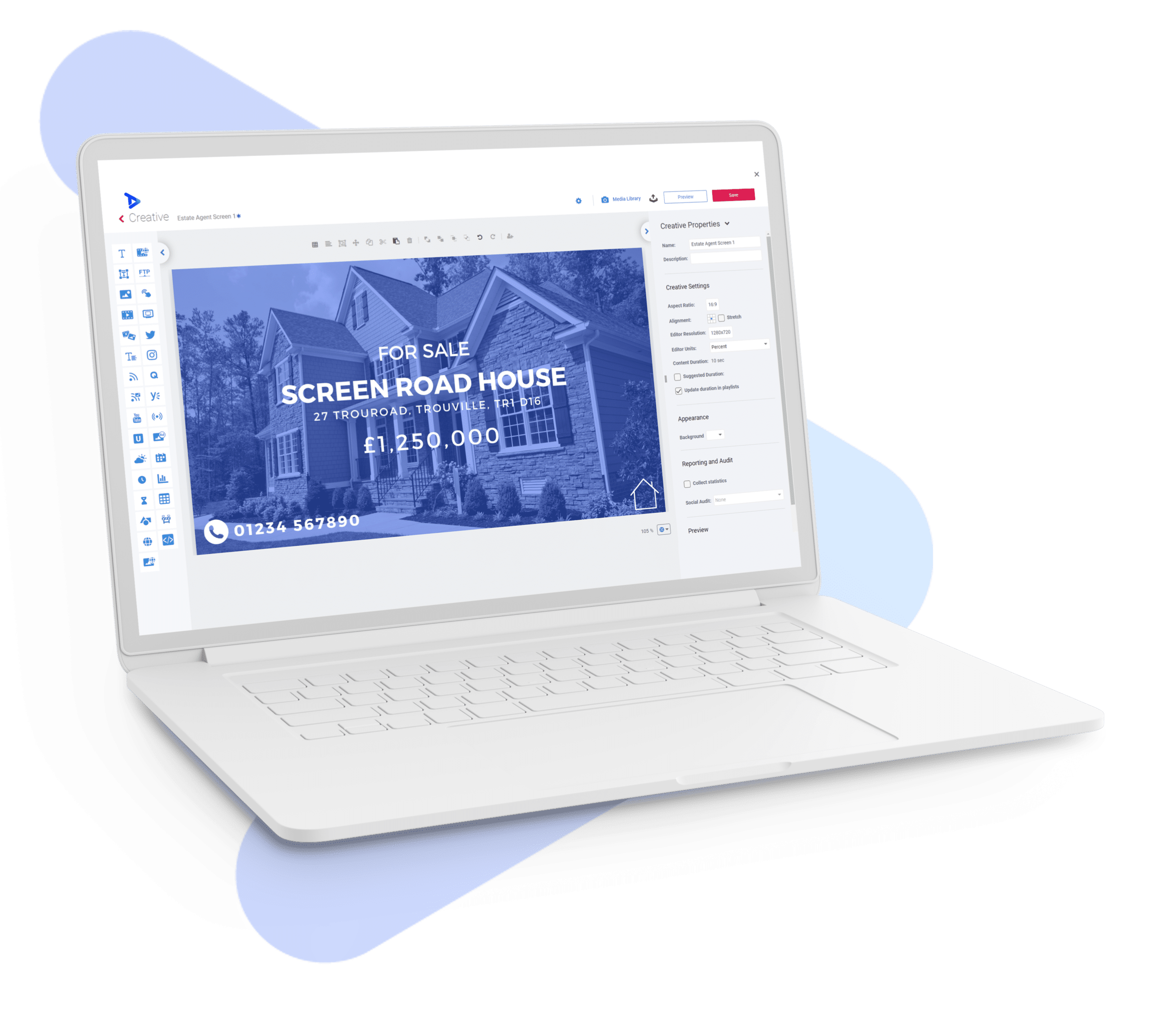
Digital signage for estate agents

Digital Signage for Estate Agents That Keeps Property Listings Live

Connect your estate agency CRM and your window display stays current automatically. High-brightness screens, live listings, and less manual updating — day in, day out.

Digital signage for estate agents showing live property listings in a window display

Trusted by leading estate agents

Gibbs Gillespie
Enfields
JLL
Martin & Co
Northgate Estate Agents
Sowerbys
Leaders

Confirmed CRM connections

Your listings on screen, automatically

We have confirmed feed integrations with the property CRMs your agency already uses. Once connected, your window display updates whenever your portfolio changes — no manual uploads, no stale listings, no staff time wasted.

You stay in control: choose which listings to show, apply filters by price, status or location, and decide which screens receive which content — across one branch or many.

01

Connect your CRM feed

02

Choose your listings

03

Apply filters

04

Go live — stay current

Confirmed estate agency CRM feeds

These are the property data systems we connect to directly.

Popular CRM connections

Reapit logoReapit
Jupix logoJupix
Alto logoAlto
Dezrez logoDezrez
Expert Agent logoExpert Agent

Plus the complete confirmed integration list:

10ninetyAcquaintAgency PilotAgentOSAlto by VebraApex27Arthur OnlineBLMCityletsDecorus / Landlord ManagerDezrezDomusEstates IT / PCHomesExpert AgentGnomenJupixJuvoKyeroLoopMRI SoftwareMuvenRE/MAXReallaReapit FoundationsREAXMLRentmanReal-Time Data FeedSME ProfessionalStreetUtiliVaultEAVECOVirtualneg

Data shown on screen depends on the fields your CRM exports. During your project consultation we will confirm exactly which listing data will be displayed and how your agency retains control.

Property feed in action

Bring your latest listings to the window

See how property photography, listing details and live information can come together on a digital window display, giving passers-by a clear view of the homes your agency has to offer.

How it works

From CRM to window display in four steps

We handle the setup. You keep control over which listings appear and on which screens.

01

Connect your property feed

We link directly to your existing CRM or property data system — no manual exports, no spreadsheets.

02

Choose listings and filters

Select which properties appear, apply price, status or location filters, and set rules per branch or screen group.

03

Design your screens

We create a branded template for your window — your colours, your logo, floor plans, video tours and imagery all included.

04

Go live — and stay current

Your screens update automatically as listings are added, sold or let. No staff time, no reprinting, no out-of-date cards.

No more manual window card updates

Less printing and administration for your team

Better use of every square metre of window space

Show more properties, more compellingly

Every branch on-brand and up to date

Central content control across your network

High-brightness estate agent window display showing live property listings

Why estate agents choose digital window displays

Window displays are your highest-footfall marketing surface — and digital screens make them work harder without asking more from your team.

  • Display live listings, floor plans and video tours — updated automatically.
  • Reduce printed window cards and the staff time needed to maintain them.
  • High-brightness screens remain clearly visible in direct daylight.
  • Manage every branch from one dashboard, keeping all screens on-brand.
  • Give valuations, lettings and sales each their own branded screen zone.

How estate agents use digital signage

From window displays to valuation suites — one platform, every screen in your network.

1

Window Displays

Keep live property listings, floor plans and photography prominently visible to buyers and tenants passing your branch — updated automatically as your portfolio changes.

2

Property Comparison Screens

Let buyers view multiple properties side by side — price, bedrooms, key features and photography — so they can shortlist faster and book more viewings.

3

Interactive Touchscreen Displays

Internal touchscreens let visitors browse your full portfolio, explore floor plans, watch video tours and request viewings — freeing up your negotiators for qualified enquiries.

4

Valuation Suite Screens

Impress vendors and landlords with professionally presented comparable evidence, area insights and your agency credentials on screen during valuation appointments.

5

Branch Reception Displays

Make a strong first impression in reception with current listings, recent lets and sales, local market data, and branded content that reinforces your agency positioning.

6

Multi-Branch Campaign Screens

Run a coordinated marketing campaign or seasonal promotion across every branch simultaneously — updated centrally, deployed in seconds.

Make every listing count

Two ways to make your window work harder

Win attention on the high street, then give buyers the detail that turns interest into viewings.

High-brightness estate agent window display
01 / Visibility

Win attention on the high street

Turn your window into a live shopfront that keeps listings bright, current and impossible to miss — even in direct daylight.

  • High-brightness screens built for busy high-street windows
  • Live listings that update as your portfolio changes
  • No manual card changes — ever
TrouDigital software for estate agents on a laptop
02 / Engagement

Give every property more room to sell itself

Go beyond a printed sheet with video tours, floor plans, key features and lifestyle imagery that helps buyers imagine the property before the viewing.

  • Showcase more detail without using more window space
  • Video tours, floor plans and photography in one display

Live CRM-connected listings

Less manual updating for your team

High-bright window visibility

Designed for daylight on the high street

Content managed centrally

Every screen on-brand and current

What agencies say

Trusted by agencies across the UK

Martin & Co
“We’ve used TrouDigital now for 5 years, we had almost zero down time, and the feed has run flawlessly.”
Martin & Co
JLL
“We use TrouDigital in multiple branches, the feed allows us to show all our available stock by location, and add marketing to our screens easily.”
JLL
Enfields
“The team at TrouDigital installed new 75″ screens to our offices in Southampton, they’ve been running now for 4 years.”
Enfields
Leaders
“The installation was easy and the system just works.”
Leaders
Robinsons
“We have used TrouDigital for the last 3 years for the window display in our letting agency. We have had excellent service from TrouDigital. The service they provide really is zero hassle and their software works smoothly and updates itself automatically.”

Robinsons

Estate Agent Digital Signage Solutions

Interactive touchscreen digital signs for estate agents

Interactive digital signs

Indoor touchscreen displays let buyers and tenants browse your full portfolio, explore floor plans and request viewings — reducing walk-in pressure on your team and increasing engagement.

High-brightness window digital display for an estate agency

Window digital displays

High-brightness window screens keep your listings clearly visible in direct daylight on the high street — with CRM-connected content that stays current without any manual updating.

Understanding the investment

What affects the cost of estate agent digital signage?

Every project is different. We provide tailored quotes — here are the factors that typically shape the investment.

1

Screen type and brightness

High-brightness window-facing screens cost more than standard commercial displays. The right brightness level depends on the amount of natural light in your window and the viewing distance from passers-by.

2

Number of screens and branches

Each screen and branch location affects hardware, installation and software licence costs. Multi-branch networks often benefit from volume pricing on both hardware and software plans.

3

Installation and commissioning

Professional installation, including cable management, mounting and network configuration, is included in project quotes. Complexity varies by branch size, window configuration and existing infrastructure.

4

CRM feed and content scope

The number of integrated CRM feeds, listing filters and screen zones, plus the level of branded content design, affects the overall project scope and ongoing software plan.

We will confirm exact pricing for your project after a brief consultation. There is no obligation and no generic price list — your quote is built around your branches and your goals.

Request a tailored quote

Common questions from estate agents

Practical answers about CRM feeds, screens, costs and getting started.

Why TrouDigital?

The solution loved by leading estate agencies

At TrouDigital, we want every user to get the most out of their digital signage software and digital displays. That’s why we implement ease of use into each and every stage of the journey. From start to finish, we ensure your project is a success.

Easy-to-use softwarePlug-and-play hardwareWorld-class supportSecureUse any screen

Ready to give your window an upgrade?

A free window review will show you exactly how your branch could look with live, CRM-connected listings on a high-brightness display — with no commitment required.

Alternatively, request a full project quote and we will provide detailed pricing for your screens, CRM integration and installation.