
The internal communications challenge
Keeping teams aligned sounds like an easy task until you’re managing multiple departments, locations, and priorities. Emails constantly get ignored, intranets go unopened, and key updates often get lost. The result? Inconsistent messaging, disengaged teams, and missed opportunities to communicate clearly.
This is where corporate digital signage starts to make a real difference. Instead of relying on one-way, easily overlooked channels, you’re placing clear, visible communication directly into the environments where your teams already work.
When used well, internal communications screens don’t just share information; they create consistency, reinforce priorities, and help people feel more connected to what’s happening across the business.

Core Corporate Digital Signage Use Cases
Digital signage for businesses isn’t just about displaying announcements. It’s about delivering the right message, in the right place, at the right time.
Here are some of the most effective use cases:
1. Company-wide updates
Screens in shared spaces like offices, warehouses, or break rooms can display key announcements, leadership messages, and business updates. This keeps everyone aligned, regardless of role or location.
2. KPI dashboards and performance tracking
Displaying live or regularly updated metrics helps teams stay focused on goals. Whether it’s sales targets, production outputs, or customer satisfaction scores, visibility drives accountability.
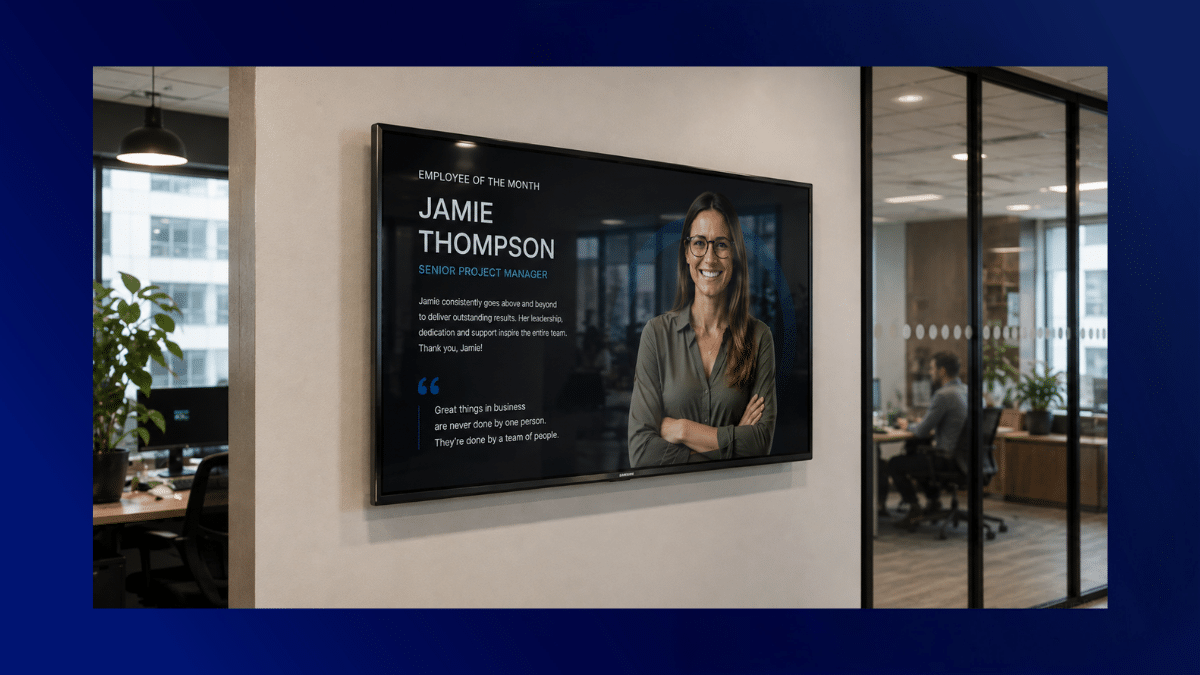
3. Employee recognition and culture-building
Highlighting achievements, milestones, or team shoutouts helps reinforce a positive culture. It’s a simple way to make recognition more visible and consistent.
4. Training and onboarding support
Screens can reinforce key processes, safety guidelines, or onboarding messages, especially useful in environments where employees aren’t desk-based.
5. Operational and real-time information
From shift schedules to live alerts, digital signage helps ensure teams always have access to the information they need to do their jobs effectively.
Content Planning, Governance & Scheduling
One of the biggest mistakes with commercial digital signage is treating it like a dumping ground for content. Without structure, screens quickly become cluttered and ineffective.
To get real value, you need a clear approach to planning and governance.
Start with ownership
Decide who is responsible for content. This could be internal comms, HR, marketing, or department leads. Clear ownership prevents outdated or inconsistent messaging.
Define content types and priorities
Not all messages are equal. Separate “must-see” updates from general information. This helps you prioritise screen space and avoid overwhelming your audience.
Create a content schedule
Regular updates keep screens fresh and relevant. This might include:
- Daily updates (e.g. KPIs, schedules)
- Weekly highlights (e.g. team wins, announcements)
- Monthly campaigns (e.g. initiatives, events)
Keep it simple and scannable
People don’t stand and read screens for long. Your messaging needs to be quick to understand and easy to absorb. Short headlines, clear visuals, and minimal text work best. Use templates to keep branding consistent, and add a variety of images and styles for visual engagement.
Corporate Digital Signage Content by Department
| Department | Content Type | Objective | Update Frequency |
| HR | Employee updates, onboarding info, and wellbeing initiatives | Improve engagement and support for employees | Weekly / Monthly |
| Sales | Targets, leaderboards, performance metrics | Drive motivation and accountability | Daily / Weekly |
| Operations | Shift schedules, safety alerts, process reminders | Improve efficiency and reduce errors | Daily / Real-time |
| Marketing | Campaign updates, brand messaging | Ensure consistent external messaging internally | Weekly |
| Leadership | Company announcements, strategy updates | Align teams with business direction | Monthly / As needed |
This structure helps ensure that every department contributes without overwhelming the screen space.
Measuring Engagement & Effectiveness
If you’re investing in internal communications screens, you need to know they’re working. The challenge is that engagement isn’t always as easy to measure as clicks or opens.
That said, there are practical ways to assess effectiveness:
1. Observe behavioural changes
Are teams more aware of updates? Are fewer questions being repeated? Are KPIs improving? These are strong indicators that messaging is landing.
2. Gather employee feedback
Ask simple questions:
- Are the screens useful?
- What content do you actually pay attention to?
- What would you like to see more of?
3. Track content performance indirectly
If you’re promoting initiatives (e.g. events, training), track participation rates before and after using signage.
4. Keep content evolving
If something isn’t working, change it. Digital signage gives you the flexibility to test, learn, and improve quickly.
The goal isn’t just visibility; it’s impact. If your screens aren’t helping people do their jobs better or feel more informed, something needs adjusting.
Conclusion
Aligning messages across teams isn’t about sending more information; it’s about making communication clearer, more visible, and easier to engage with.
Corporate digital signage helps you do exactly that. By bringing key updates into shared spaces, structuring your content properly, and focusing on relevance, you create a communication channel that actually gets seen and understood.
If you’re looking to improve internal alignment and make your messaging work harder, digital signage for businesses offers a practical, scalable solution.
To explore how digital signage works in a corporate environment, explore here and start building a more connected, informed workplace.